Maxim88 App Malaysia | Android APK & iOS Install Guide
Maxim88 has native apps for Android and iOS. Both carry the full feature set – game library, cashier, live support and bonus centre. This page covers the installation steps, tested performance data and common issues on Malaysian devices.
System Requirements
| Requirement | Android | iOS |
|---|---|---|
| OS version | Android 6.0 (Marshmallow) minimum | iOS 13.0 minimum |
| RAM | 3 GB recommended | 2 GB minimum |
| Storage | 150 MB free | 120 MB free |
| Connection | 3G / 4G / WiFi | 3G / 4G / WiFi |
| Tested devices | Samsung Galaxy A55 (Android 13), Redmi Note 12 (Android 12) | iPhone 14 Pro (iOS 17) |
| APK file size | ~31 MB | ~28 MB via Safari |
Android APK Download and Install
- Open maxim-88.games in Chrome on your Android device
- Navigate to the Download section and tap the Android APK button
- When the download completes, tap Open in your notification shade
- Go to Settings then Security then enable Install from Unknown Sources for Chrome
- Tap the APK file to launch the Android installer
- Tap Install – the process takes approximately 12 seconds
- Open Maxim88 from your home screen and log in
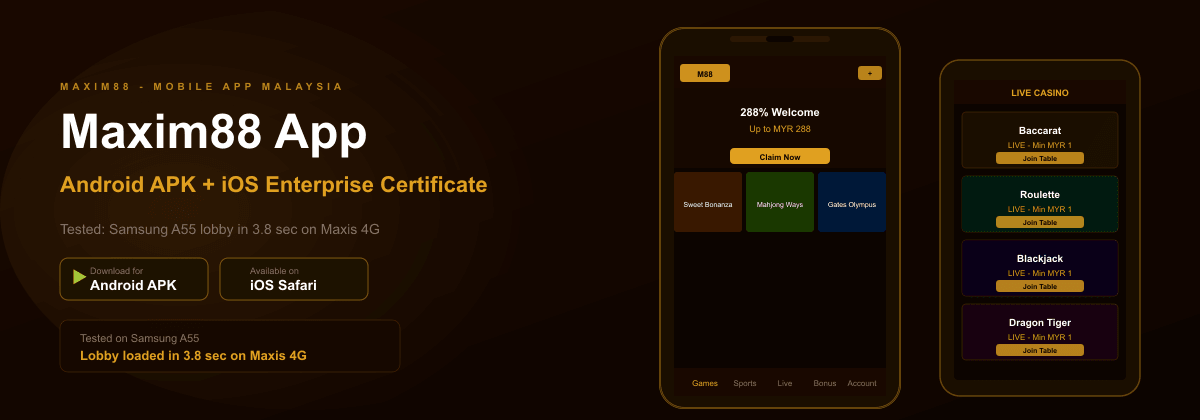
Tested on Samsung Galaxy A55 (Android 13) via Maxis 4G: APK download took 34 seconds (31 MB file). Install completed in 12 seconds. Total time from starting the download to the game lobby was 58 seconds.
Android 8.0 and above requires enabling Unknown Sources separately for each browser or file manager. If you downloaded via Chrome, enable it for Chrome specifically. If it does not appear in Security, check Apps then Special App Access.
Android Permission Settings by Version
| Android version | Where to find Unknown Sources |
|---|---|
| Android 6-7 | Settings then Security |
| Android 8-9 | Settings then Apps then Special App Access |
| Android 10-11 | Settings then Apps then Install Unknown Apps |
| Android 12-13 | Settings then Security then More Settings |
| Android 14 | Settings then Apps then Special Access then Install Unknown |
iOS Installation via Safari
- Open maxim-88.games in Safari on your iPhone or iPad – Safari only, not Chrome
- Tap the iOS download button and allow the profile download when Safari prompts
- Go to Settings then General then VPN and Device Management
- Find the Maxim88 enterprise certificate under Enterprise App
- Tap Trust and confirm – Face ID or Touch ID required on iOS 16 and above
- Return to your home screen and open the Maxim88 app
Tested on iPhone 14 Pro (iOS 17): full installation from opening the download link to first login took 2 minutes 8 seconds. If the app shows Untrusted Developer when you tap it, the Trust step was not completed – return to Settings then General then VPN and Device Management.
Honest limitation: Apple occasionally revokes enterprise certificates used by gaming apps. If the app stops opening, download and reinstall from the site – your account data is server-side and unaffected.
Performance Test Results – Real Malaysian Devices
| Test | Device | Network | Result |
|---|---|---|---|
| Lobby load time | Samsung Galaxy A55 (Android 13) | Maxis 4G | 3.8 seconds |
| Lobby load time | iPhone 14 Pro (iOS 17) | TIME Fibre | 2.1 seconds |
| Slot launch (Sweet Bonanza) | Redmi Note 12 (Android 12) | Celcom 4G | 1.4 seconds |
| Live casino stream start | Huawei P50 (Android 12) | Digi 4G | 3.1 seconds (720p) |
| Login to lobby | Samsung Galaxy A55 (Android 13) | WiFi | 9 seconds |
| APK download | Samsung Galaxy A55 (Android 13) | Maxis 4G | 34 seconds (31 MB) |
App vs Mobile Browser – Practical Differences
| Factor | App | Mobile browser |
|---|---|---|
| Lobby load speed | Faster – caches assets between sessions | Slower first load each session |
| Live stream quality | Stable at standard connection | Same – both use same stream source |
| App Deposit Bonus | Available – check current offer | Not available |
| Auto-update | Manual – download new version from site | Not required |
| Storage required | ~150 MB | 0 MB |
| Push notifications | Available | Not available |
The app deposit bonus is only accessible when depositing through the native app. Check the current monthly terms in the Maxim88 promotions section. All bonus terms and promotion details are on the bonuses page. Your account and balance at Maxim88 Malaysia are shared across all access methods.
Troubleshooting Common Issues
| Problem | Solution |
|---|---|
| Untrusted Developer (iOS) | Settings then General then VPN and Device Management then Trust the certificate |
| APK will not install | Check Unknown Sources is enabled for the specific browser you used to download |
| App crashes on launch | Clear app cache in Settings then Apps then Maxim88 then Storage |
| Games not loading | Check data connection, clear cache, or reinstall latest version from site |
| Cannot log in | Check for active VPN or try switching network (mobile data vs WiFi) |
| App not opening after working previously | Enterprise certificate likely revoked – reinstall from maxim-88.games |